

WaniKani integration
Connect your WaniKani account to the ManabiDojo anime extension, and the subtitles on Crunchyroll and Netflix follow your WaniKani progress. Words you know get no furigana, leeches are underlined, and the word popup shows your stage for the words you study on WaniKani.
An unofficial integration, free on every plan, in the anime extension for Chrome. ManabiDojo is not affiliated with WaniKani.
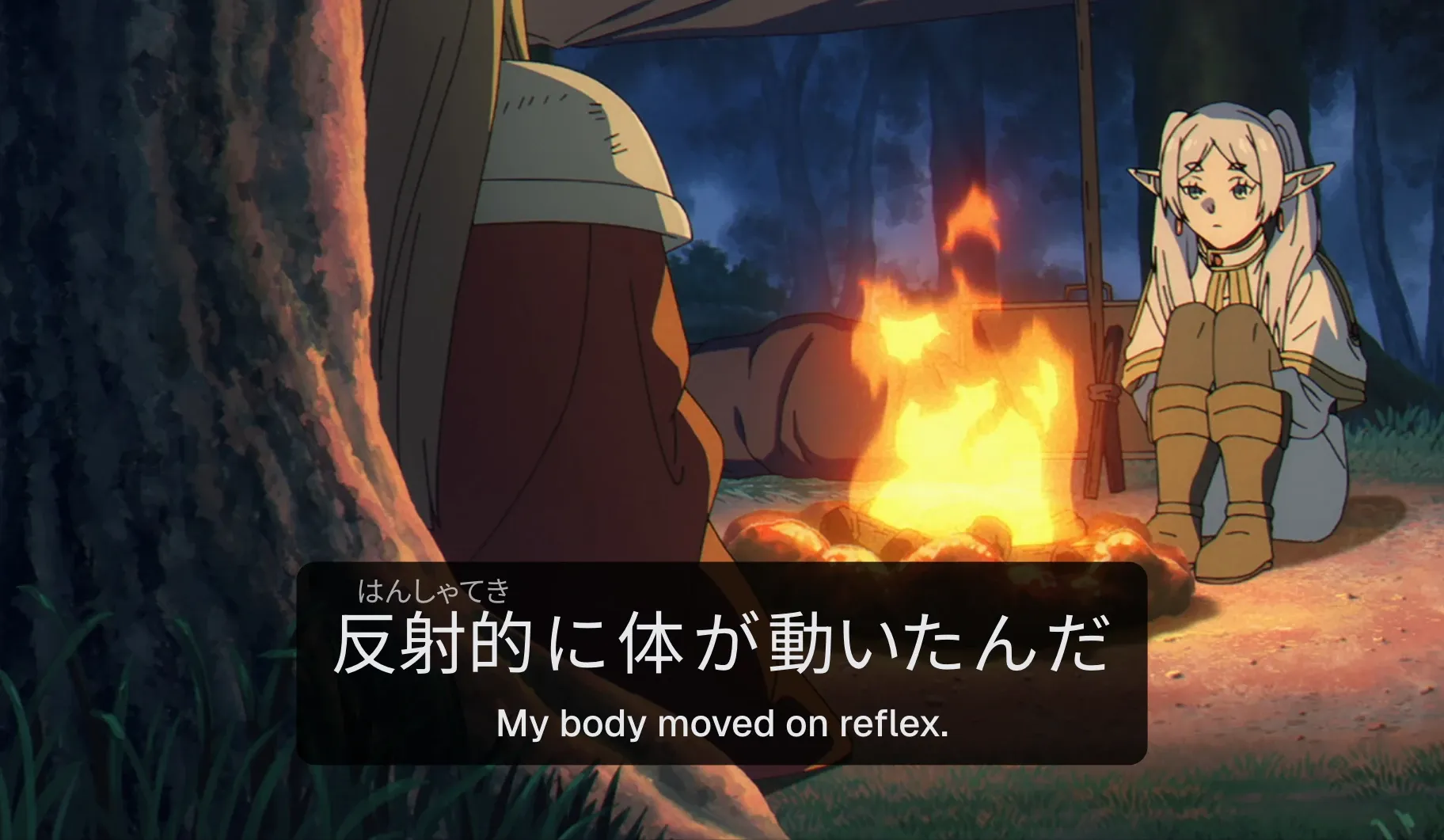
No furigana over words you know
With Show word reading on pause turned on, pausing the episode puts furigana over the line. Words you know from WaniKani get none, so the readings left on screen are the ones you still need.
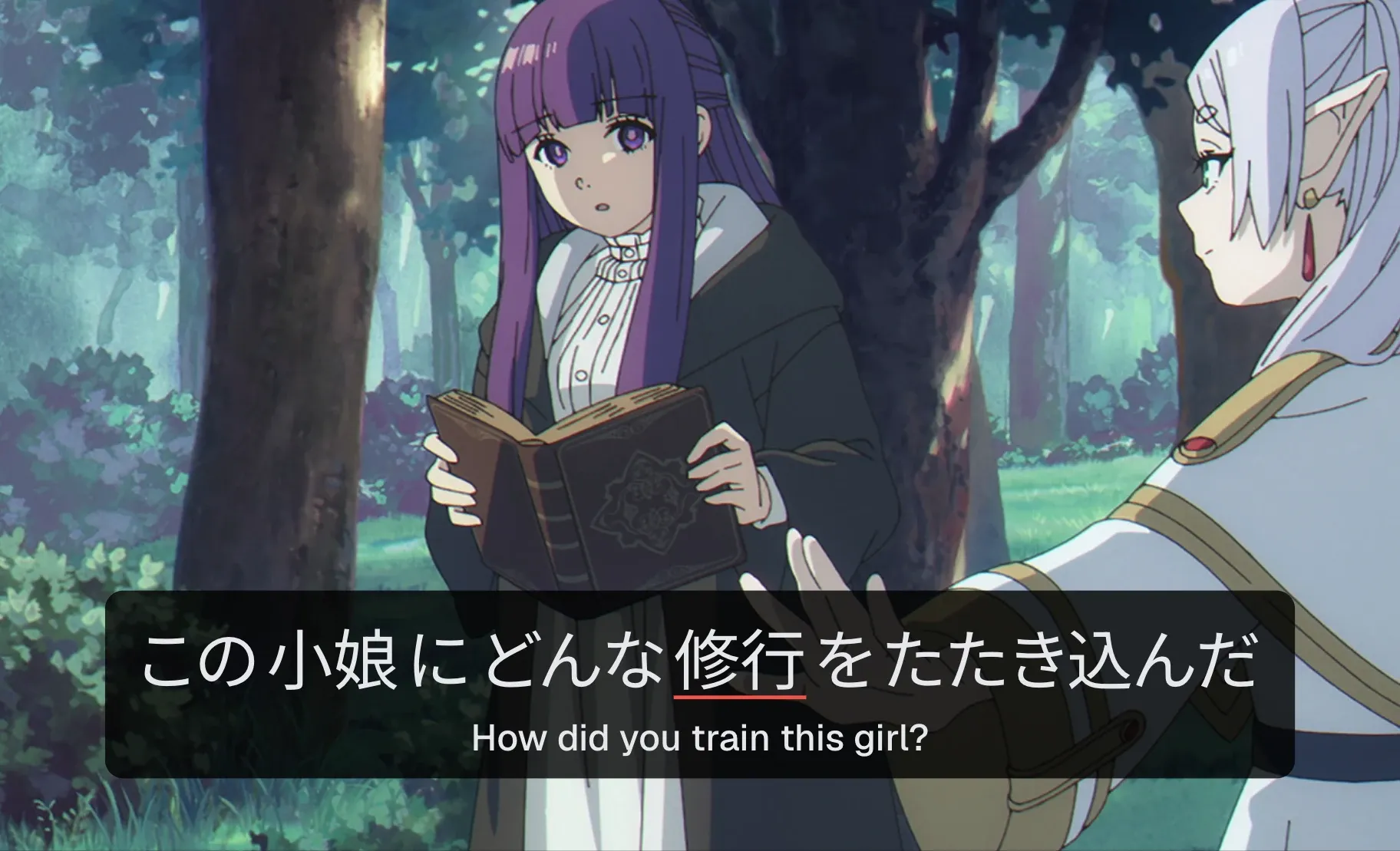
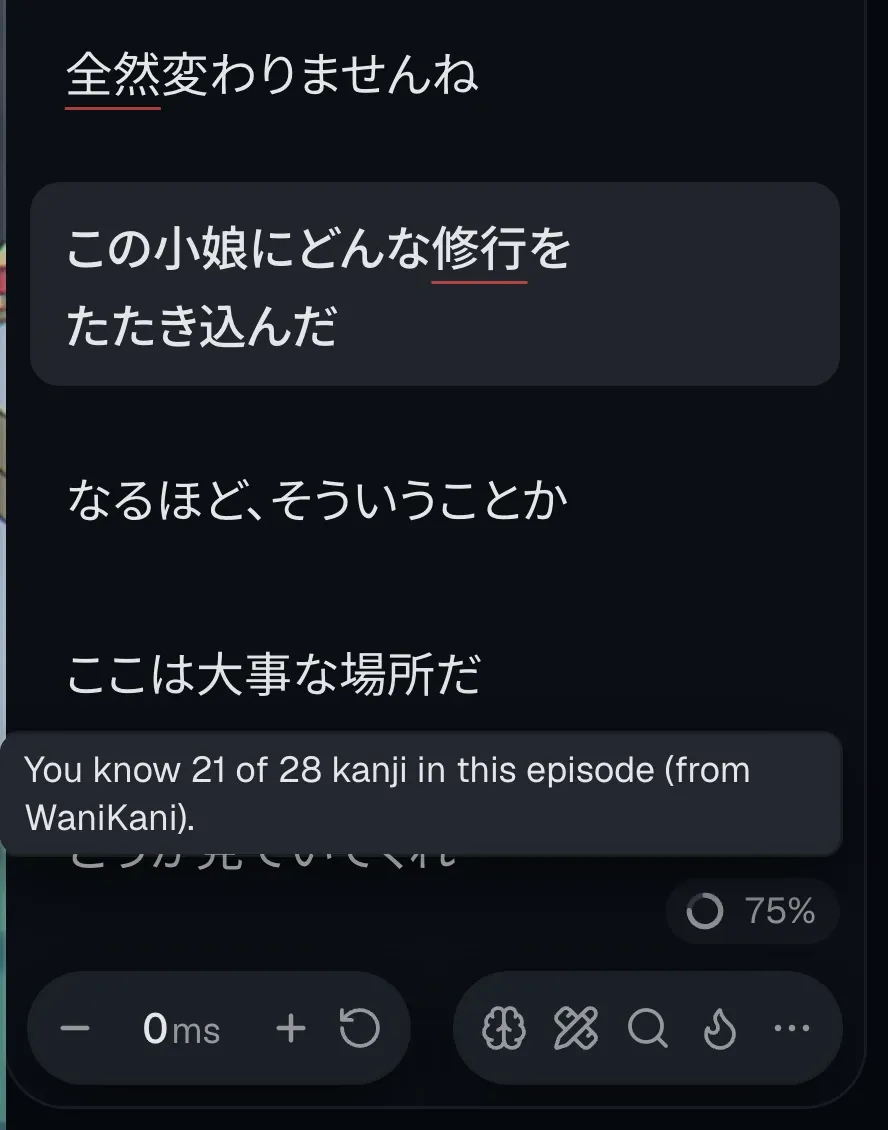
Leeches are underlined
A leech is a word you keep getting wrong in your WaniKani reviews, under 75% correct after at least eight answers. It gets a thin red underline in the subtitles and in the side panel, so you notice it when it comes up in a scene.
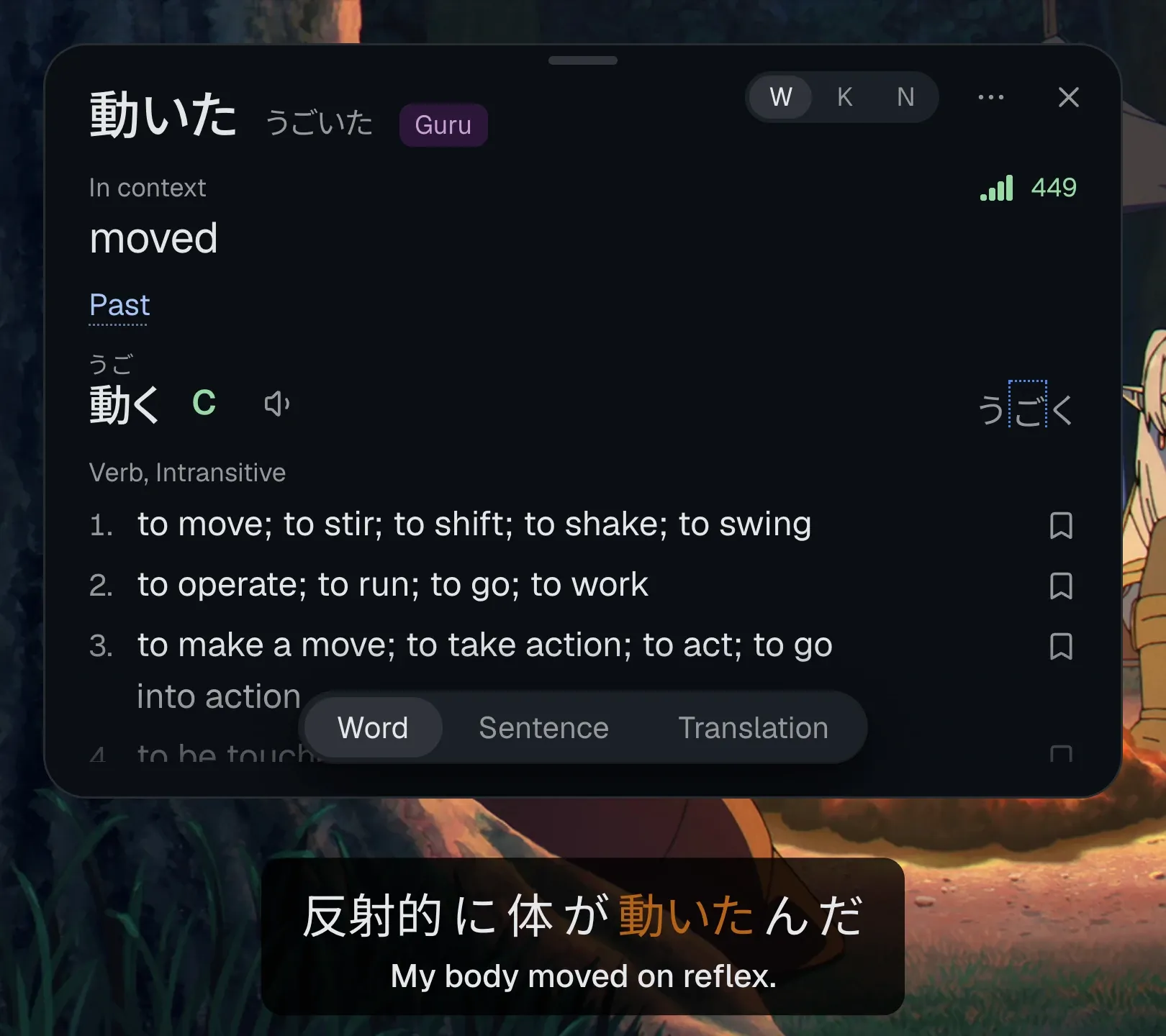
Your WaniKani stage beside the word
Click a word that WaniKani teaches and your stage for it appears beside it, the same Apprentice, Guru, Master, Enlightened or Burned as in your reviews. A leech also shows what percentage of your answers were right. The stage links to the item’s page on WaniKani.
A WaniKani word you haven’t unlocked yet shows its level in grey instead. You can turn that off in the settings.
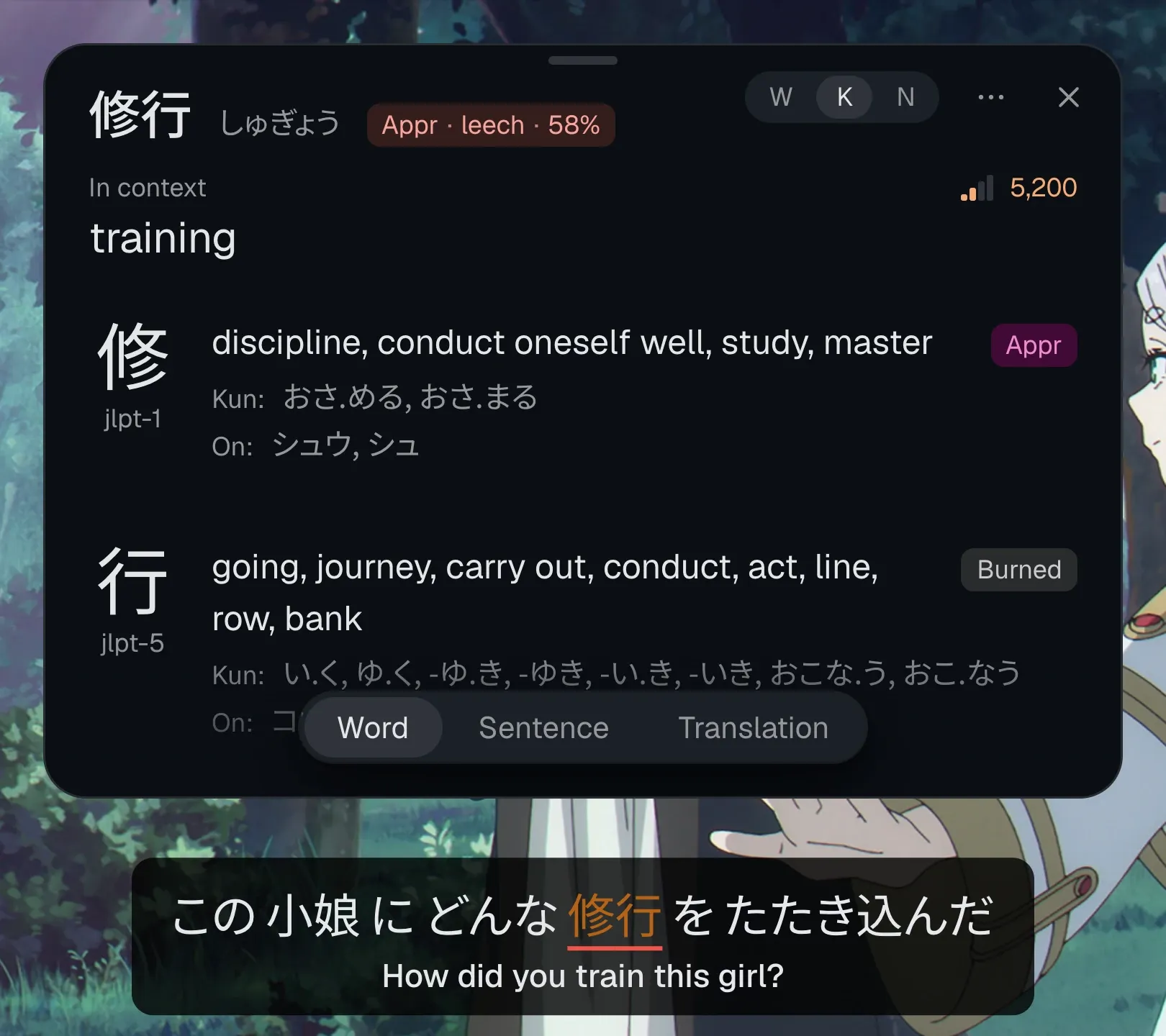
Each kanji on the Kanji tab
On the popup’s Kanji tab, each kanji of the word that WaniKani teaches has its own stage, so you can see which parts of a new word you already know. A kanji you haven’t unlocked yet shows its level in grey, like a word.
How much of the episode you can read
The corner of the side panel shows how much of the episode’s kanji you know. Each kanji in the episode’s subtitles counts once, and a kanji that isn’t on WaniKani counts as not known. Point at it to see the count.
The figure is there as soon as the subtitles load, so you can see whether an episode is mostly kanji you can already read.
Why it helps
WaniKani teaches kanji and vocabulary one item at a time, in reviews. Anime has the same words in sentences, spoken at natural speed, with a scene around them. Meeting a word in an episode that you reviewed that morning is one more encounter with it, and this time in context.
The integration makes the subtitles agree with what you already know. Kanji you have learned get no furigana, so you practise reading them. The words you keep missing are marked where they appear, and the coverage figure helps you pick episodes you can mostly read.
Your reviews stay on WaniKani. The extension only reads your progress and never changes anything on your account.
Connect your account
-
Make a read-only token
On WaniKani, open Settings, then API Tokens, and generate a new token. Leave every permission box unchecked, so the token can only read.
-
Paste it into the extension
On Crunchyroll or Netflix, open the extension’s settings from the side panel, choose WaniKani, paste the token and click Connect.
-
Choose when a word is known
Count words as known from Guru, the default, or from any other stage between Apprentice and Burned.
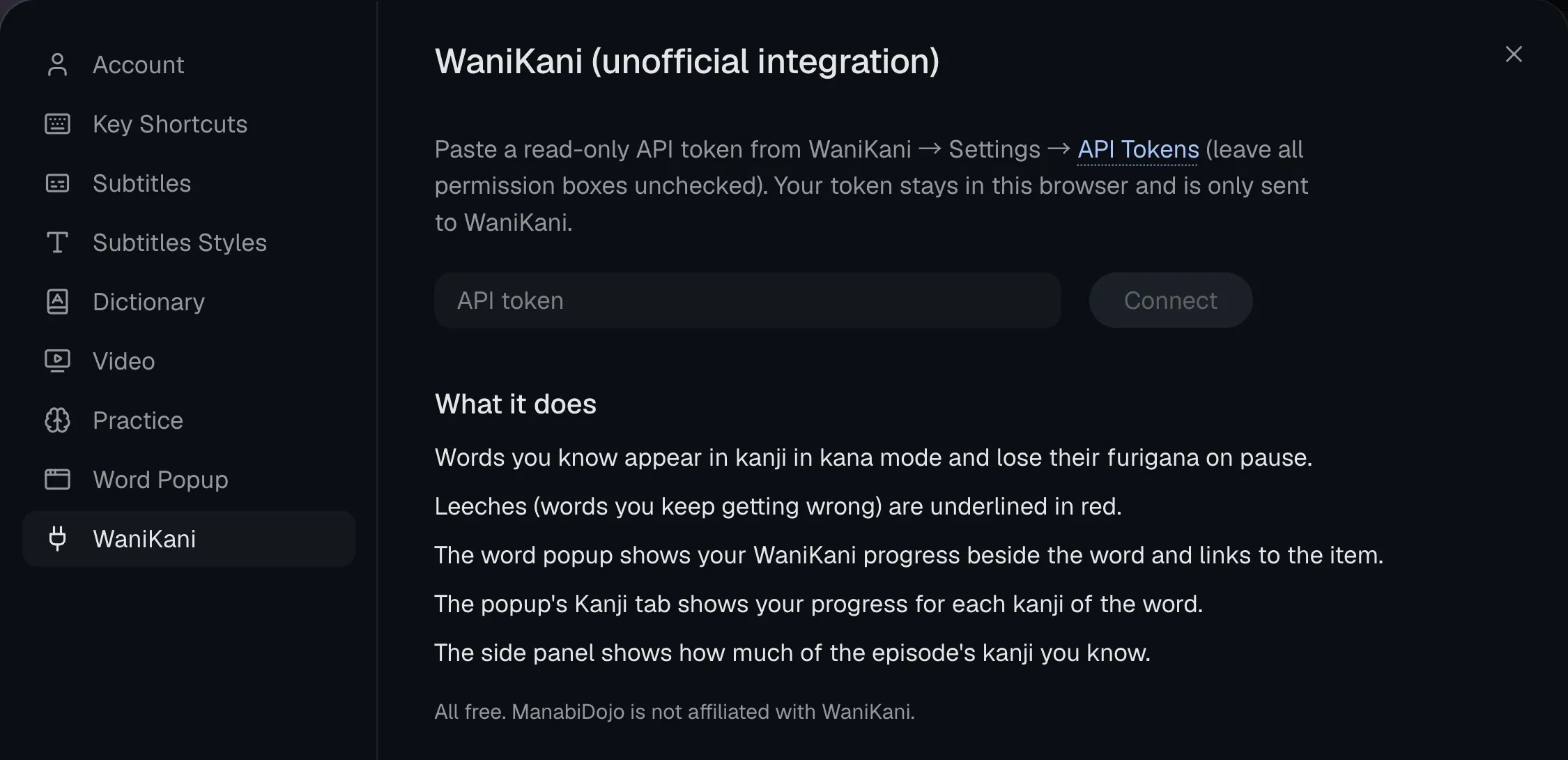
The extension reads your progress when it loads on Crunchyroll or Netflix and when a new episode starts, at most once every 15 minutes. Sync now reads it straight away.
What it reads and keeps
- Your token stays in this browser and is sent only to WaniKani. It never reaches ManabiDojo’s servers.
- The extension only reads from WaniKani. It cannot change your account or your reviews.
- It keeps your WaniKani username and level.
- For each item it keeps the characters, level and link, and your stage. For items under 75% correct it also keeps your percentage and your counts of right and wrong answers.
- None of WaniKani’s meanings, readings, mnemonics or audio are kept or shown.
- Disconnect deletes the token and everything read from WaniKani.
The screenshots are the anime extension on a sample episode of Frieren, connected to a sample WaniKani account at level 24. WaniKani is a trademark of its owner, and ManabiDojo is not affiliated with it.